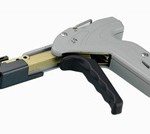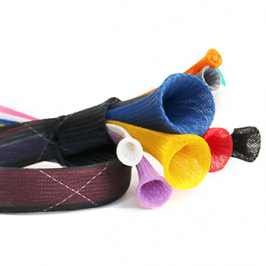
You may look in your computer from time to time and wonder how it all got so cluttered and messy. Where’d all these cables come from and where are they going? Organizing computer cables is advantageous in many ways. If you keep cable ties within reach, the operation doesn’t have to require a lot of work.
Why?
When wires and cables are stabilized, you’re ensuring they don’t touch sensitive areas or interfere with others. Have you ever heard that annoying spin of your computer fan? That’s usually because something’s touching or blocking it, which is most likely a loose cable or wire. Also, cables in disarray can increase heat around components. This long-term exposure to heat can also speed up potential deterioration. And no one wants that.
Speaking of fans, through organization, you improve airflow throughout the computer. If systems are steady and cool, elements like the fan don’t have to work harder. This enhances the system’s productivity, minimizes the collection of dust, and increases the computer’s life span.
When organizing computer cables and wires, you can devise a system that makes them recognizable. This will make things easier to find, creating a smoother process for future maintenance, repairs or upgrades.
What to Do
When bundling cables, try and get a handle on what they do. Trace each from one end to the other. Keep airflow and clarity in mind. That means bundling front panel and case-related cables, data cables for drives, and any power supplies. Route cables behind the motherboard tray and avoid covering coolers or fans. Fortunately, the newest designs are engineered with neatness in mind. Cases may have cutouts and mounts for the specific purpose of organizing components.
Another component to take into account are connectors. Knowing where they are and what they do provides a better idea of how cables should be routed. You have power supplies, graphics cards, at least one hard drive, the motherboard and its associated connectors, and fans. Once you have an idea of what’s what and where, it’s time to grab your cable ties. Low tensile, reusable cable ties might be best here. You wrap, secure and – boom! – cables are secure and safe.
Reusable cable ties simplify cable management as they are easily removed. (We won’t tell you the many stories of even the seasoned and balanced hand accidentally cutting cables trying to remove a cable tie.) Depending on the length of cables, you’ll want to use a tie every two or three inches. Buy a bundle of ties that can offer a range of colors and lengths, which will be a great help when it’s time to go back into the case and locate specific cables.